
Phishing – Merry Clickmas

This room was made available day two of the event and introduces social engineering phishing techniques and how to run a phishing campaign.
Task 1 Introduction
This section introduces some more of the story line.
Launch the Attack Box and Virtual Machine.
Flag
There is no question or answer for this section.
Task 2 Phishing Exercise for TBFC
This section explains a bit about social engineering before moving on to how to run a simple phishing campaign.
On the Attack Box navigate to the directory: ~/Rooms/AoC2025/Day02
cd ~/Rooms/Aoc2025/Day02Run the script to setup a fake login page and listen for user interaction.
./server.py
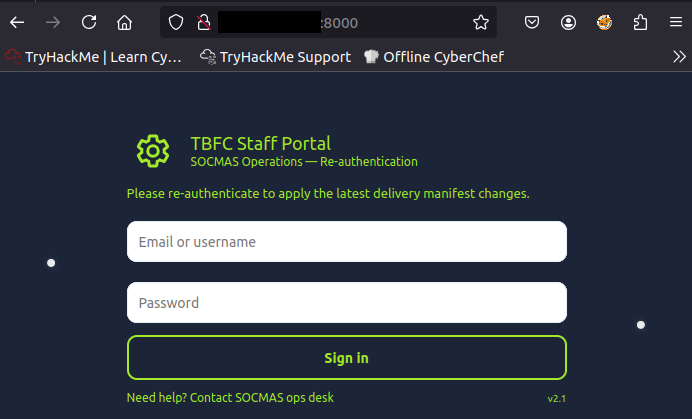
Visit the web interface with a browser to confirm the fake login page is running.
Open a new terminal tab (as our current one is busy running the script).
setoolkit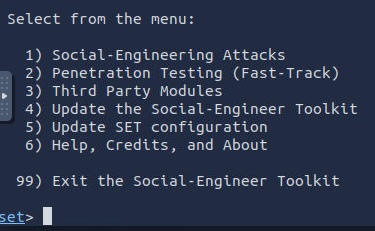
Choose the first option (Social-Engineering Attacks).
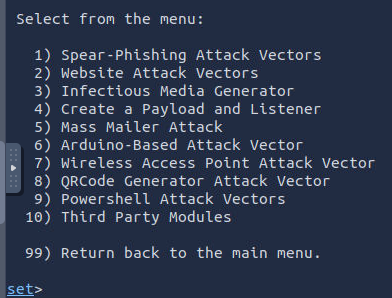
Choose the fifth option (Mass Mailer Attack).
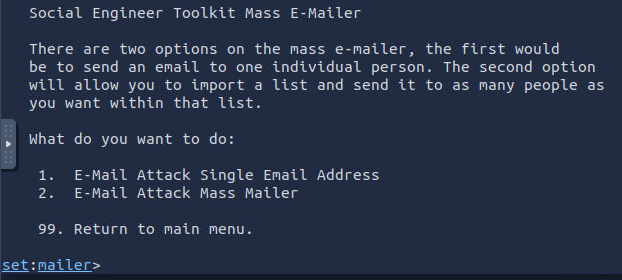
Choose the first option (E-Mail Attack Single Email Address) and provide the details specified.
- factory@wareville.thm
- updates@flyingdeer.thm
- Flying Deer
- blank
- blank
- Attack Box IP address
- 25
- No
- N
- N
- Shipping Schedule Changes
- P
Write an email message ensuring to include the phishing link (http://<Attack Box IP address>:8000). Type END when you are finished.
This has created an email and sent it to the address we targeted. In this instance we don’t need to wait very long for a response, however, during a normal phishing campaign we cannot rely on emails being checked with any regularity, our phishing email getting past automated checks, or that users will actually click on a link.
Navigate back to the terminal tab running the script and wait for credentials to be entered.
Flag
unranked-wisdom-anthem
Take the credentials and login to the email server using a browser (use the Virtual Machine’s IP address in a browser’s address bar).
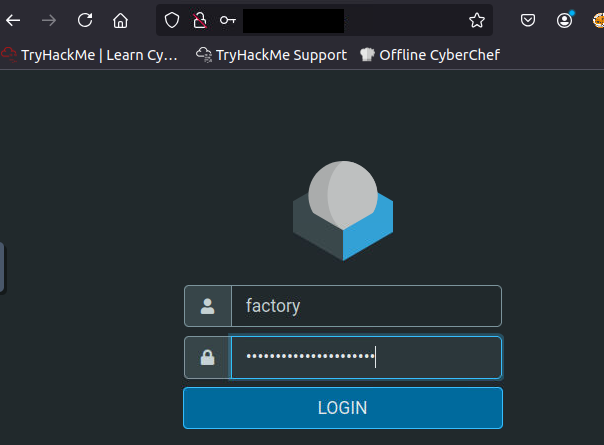
Check the emails to find how many toys are expected for delivery.

Flag
1984000
