
This room was released on day twelve of the event and focuses on detecting phishing emails.
Task 1 Introduction
Read the story background.
Start the Virtual Machine and navigate to the Email Inspector web page.
Flag
There is no question or answer for this section.
Task 2 Spotting Phishing Emails
Read about phishing emails and how to detect them. Phishing differs from spam in that it aims to gain access to systems by stealing credentials or causing malware to be run. Spam uses volume and is typically focused on engagement or promotion instead.
Go through the emails in the Email Inspector and classify them.
Email 1 is apparently an invoice from Santa Claus.
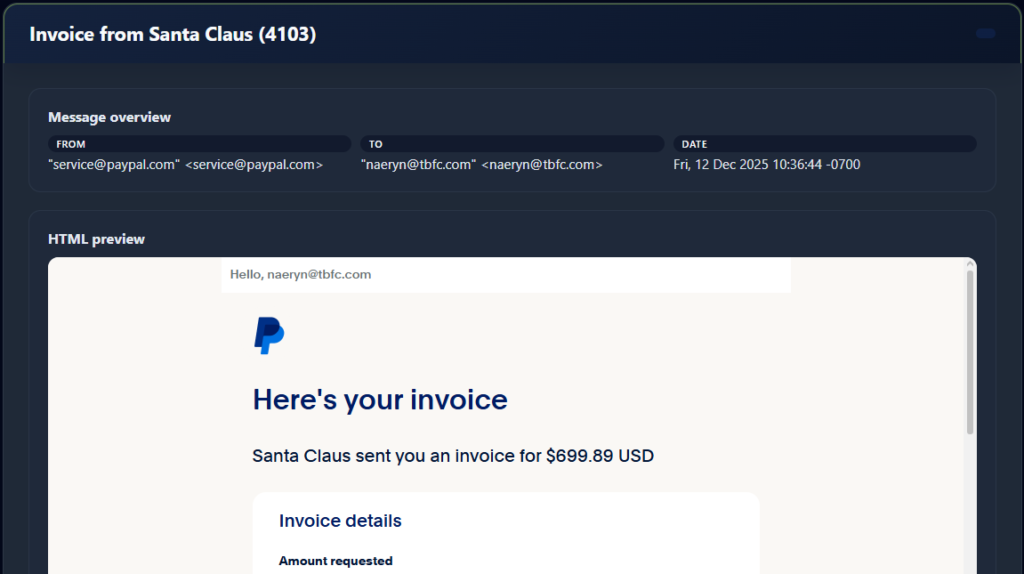
Read all the details and identify the three elements that lead you to the classification.
Flag
Phishing signals:
- Spoofing
- Sense of Urgency
- Fake Invoice
THM{yougotnumber1-keep-it-going}
Email 2 looks like a new audio message from McSkidy.
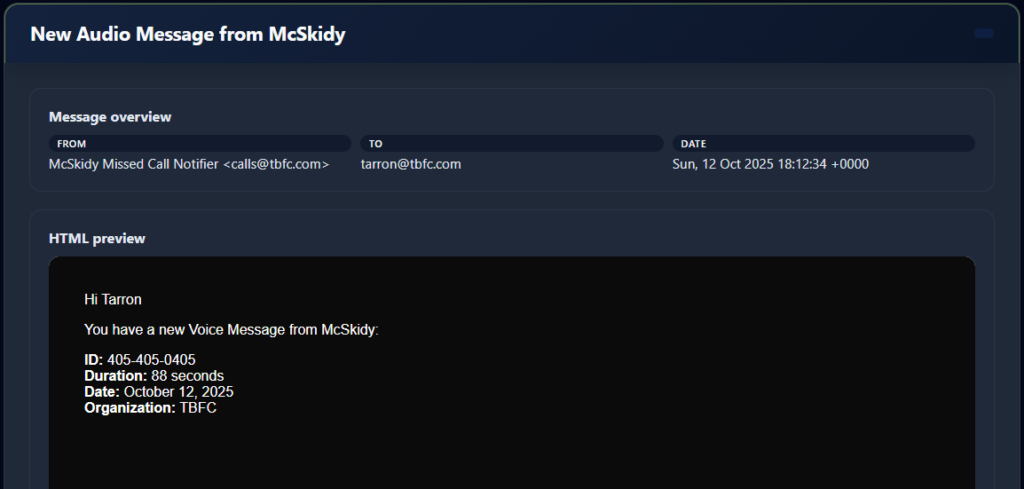
Read all the details and identify the three elements that lead you to the classification.
Flag
Phishing signals:
- Impersonation
- Spoofing
- Malicious Attachment
THM{nmumber2-was-not-tha-thard!}
Email 3 appears to be an urgent VPN access request from McSkidy.
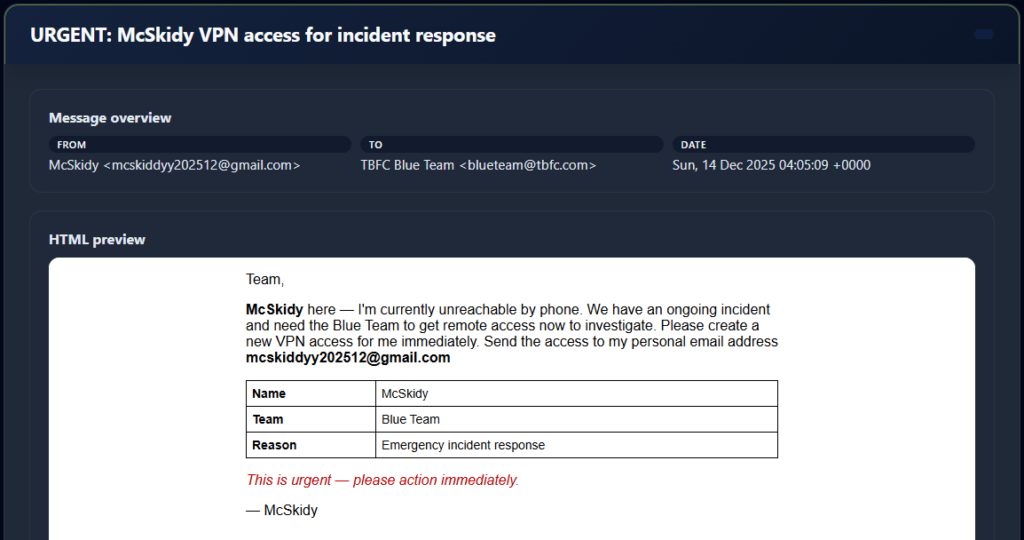
Read all the details and identify the three elements that lead you to the classification.
Flag
Phishing signals:
- Impersonation
- Social Engineering Text
- Sense of Urgency
THM{Impersonation-is-areal-thing-keepIt}
Email 4 looks to be a file shared notification.
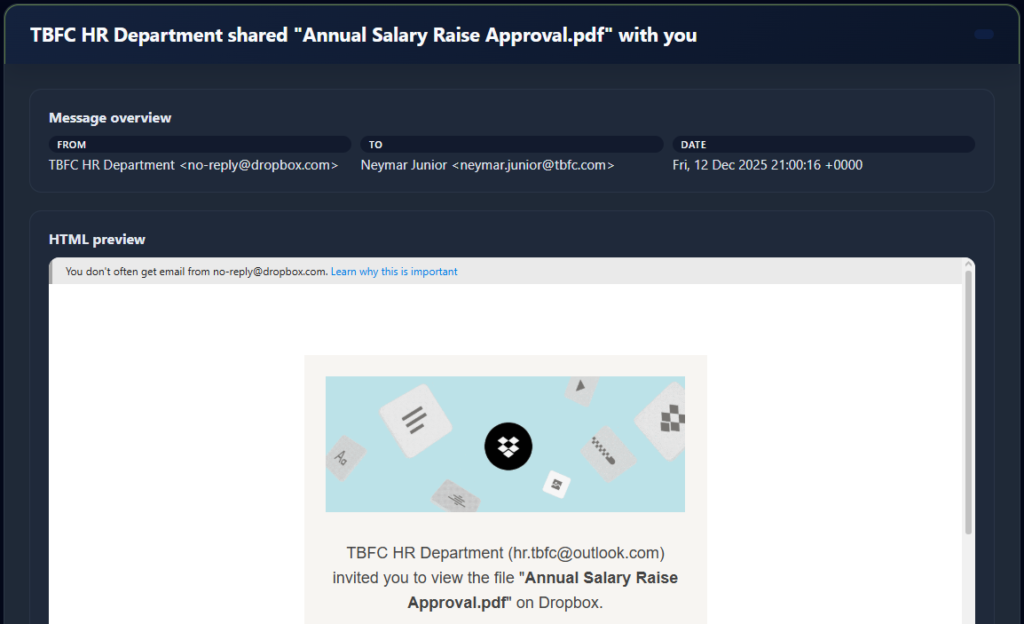
Read all the details and identify the three elements that lead you to the classification.
Flag
Phishing signals:
- Impersonation
- External Sender Domain
- Social Engineering Text
THM{Get-back-SOC-mas!!}
Email 5 promises to improve logistics over the holiday season.
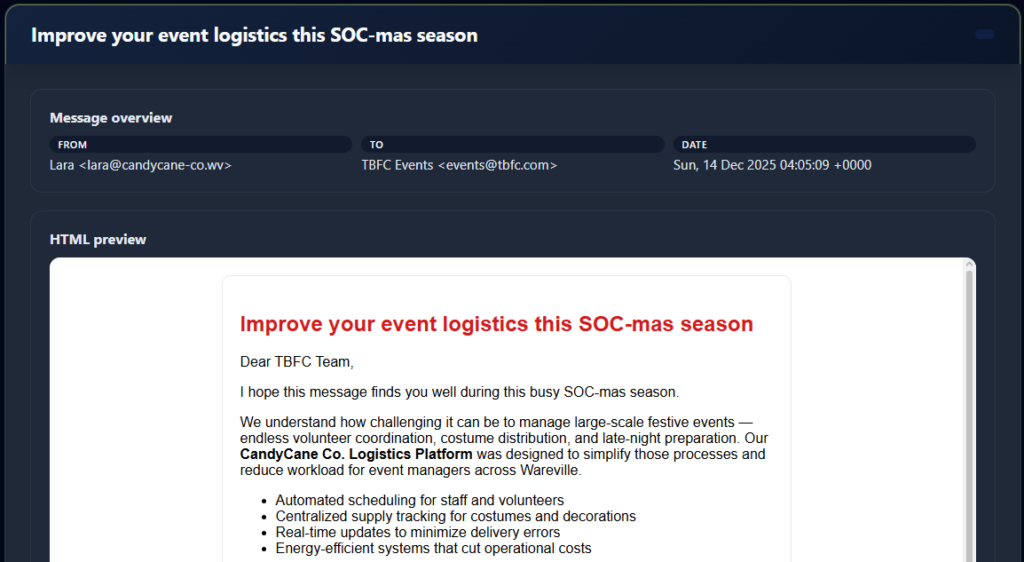
Read all the details and identify the three elements that lead you to the classification.
Flag
This was a spam email.
THM{It-was-just-a-sp4m!!}
Email 6 looks to be a shared file notification email.
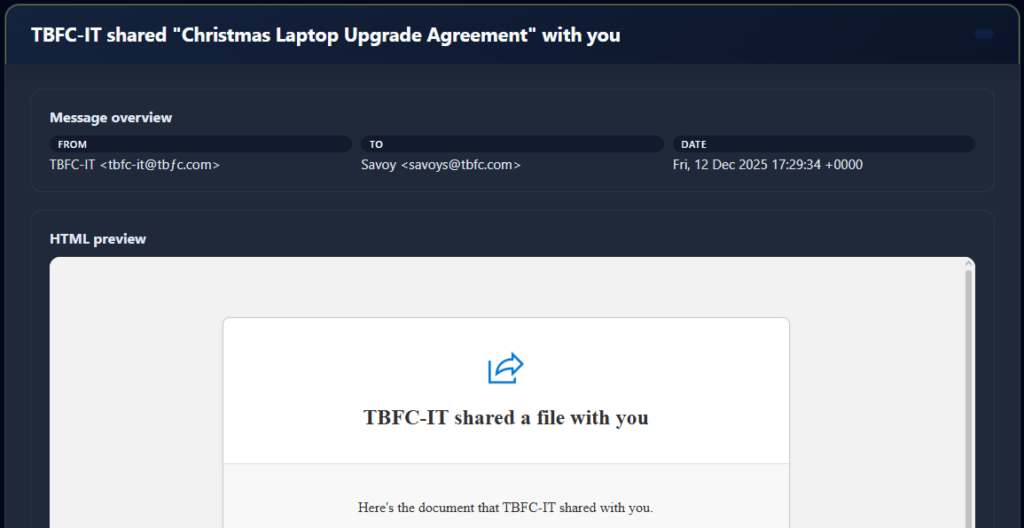
Read all the details and identify the three elements that lead you to the classification.
Flag
Phishing signals:
- Impersonation
- Typosquatting/Punycodes
- Social Engineering Text
THM{number6-is-the-last-one!-DX!}