This room was released on day six of the event and introduces malware analysis and some basic tools.
Task 1 Introduction
Read some more of the event story.
Launch the Virtual Machine.
Flag
There is no question or answer for this section.
Task 2 Malware Analysis Using Sandboxes
Read about static and dynamic malware analysis methods.
Open PEStudio on the Virtual Machine.
PEStudio is a static analysis tool for portable executable (PE) files on Windows devices. It can inspect PE files and identify suspicious or deprecated elements of the executable without running the application.
Load HopHelper.exe into PEStudio (don’t run it).
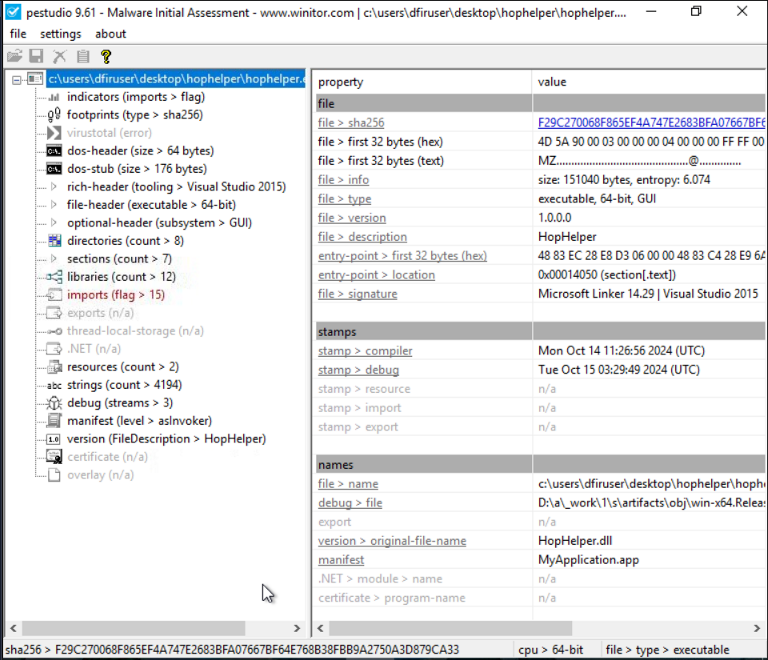
The SHA256 hash is calculated automatically (see bottom left status bar).
Flag
F29C270068F865EF4A747E2683BFA07667BF64E768B38FBB9A2750A3D879CA33
Examine the strings found in the file for items of interest. It may take a few minutes to process.
Flag
THM{STRINGS_FOUND}
Open RegShot.
RegShot is a Windows registry and directory snapshot and comparison tool often used for static analysis of malware.
Take the first registry snapshot. This will provide a baseline to compare against once we have run the malware.
Run the HopHelper.exe application.
Take a second registry snapshot and compare the snapshots. Examine the results.
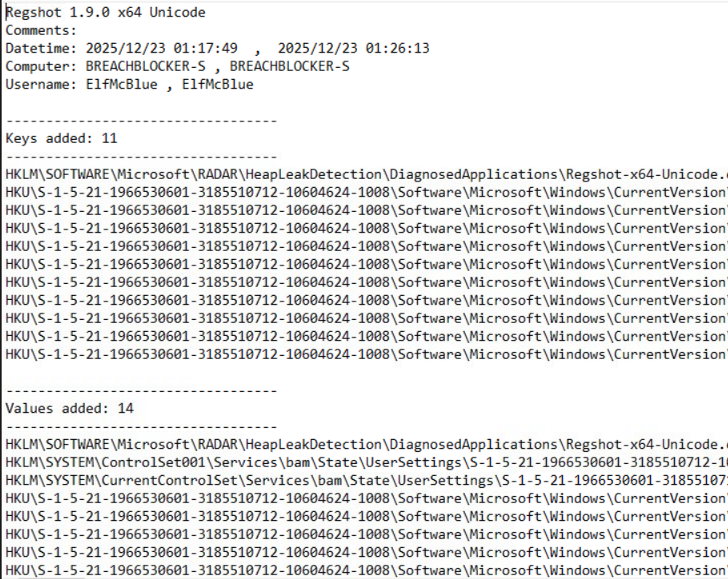
Have a look through the changed entires.
Flag
HKU\S-1-5-21-1966530601-3185510712-10604624-1008\Software\Microsoft\Windows\CurrentVersion\Run\HopHelper
Run Process Monitor (ProcMon) which will begin monitoring, recording, and comparing process activity. ProcMon is part of the Sysinternals suite of troubleshooting tools that monitors system resources.
Run the HopHelper.exe application.
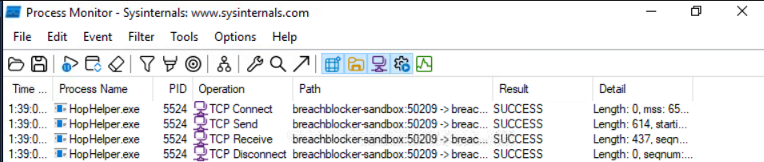
Filter the results using the process name (hophelper.exe) then using the operation (contains TCP).
Flag
http
Check the address from the TCP connections. The value after the arrow is the target address.
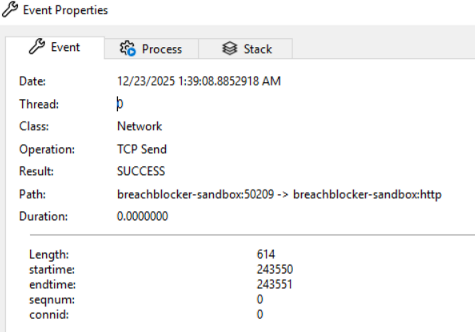
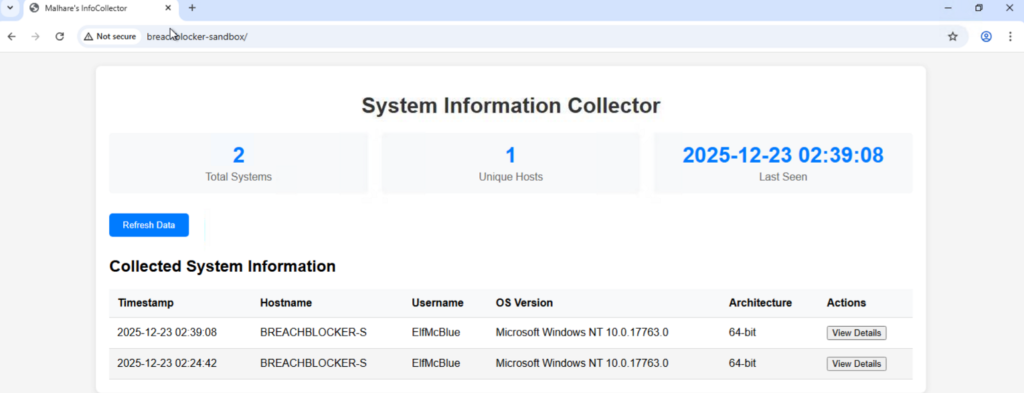
Visit the identified site the malware is connecting to in the browser.